 ChatGPT · Updated Nov 3, 2026
How to cancel ChatGPT
See every click it takes to cancel ChatGPT Go, recorded on a real account.
 ZuzuBusiness Account
Cancel ChatGPT step by step
You'll need your ChatGPT login.
-
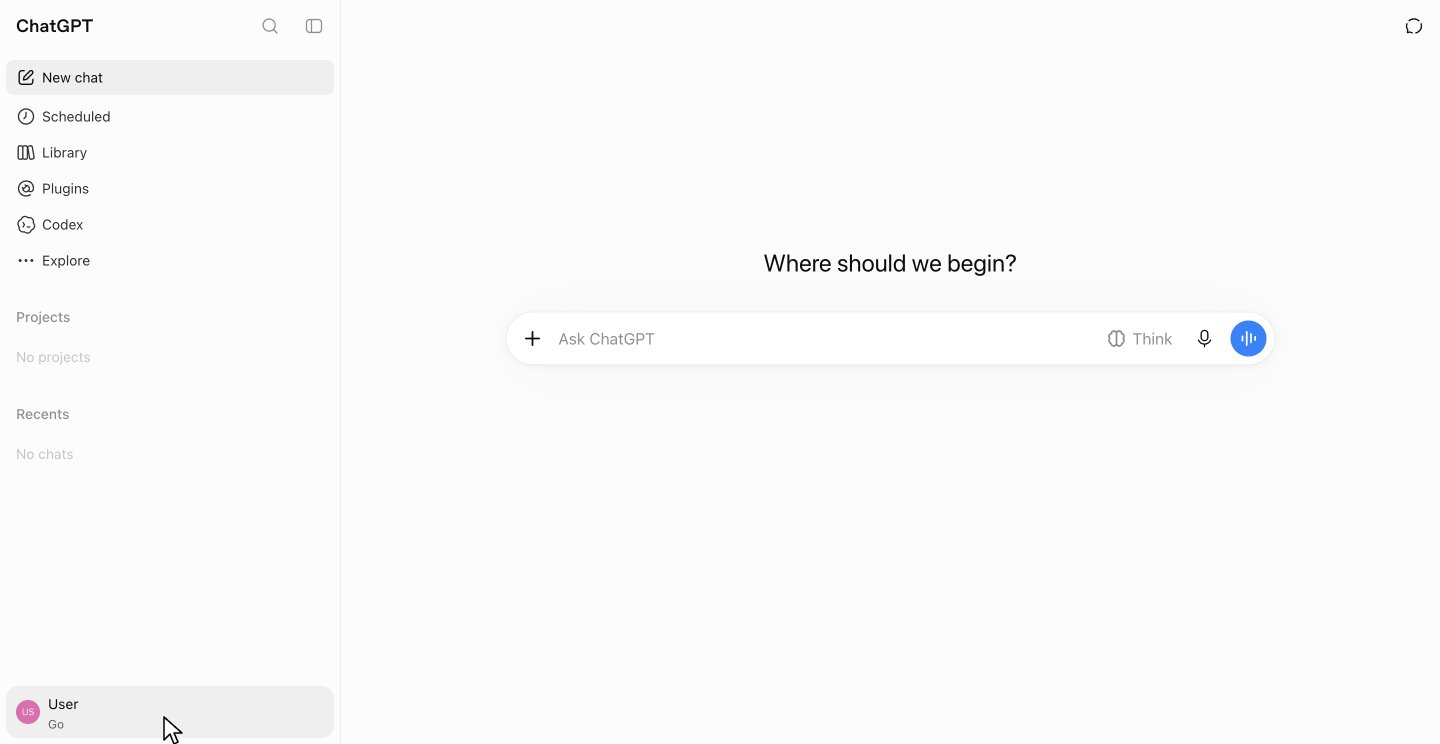
-
2
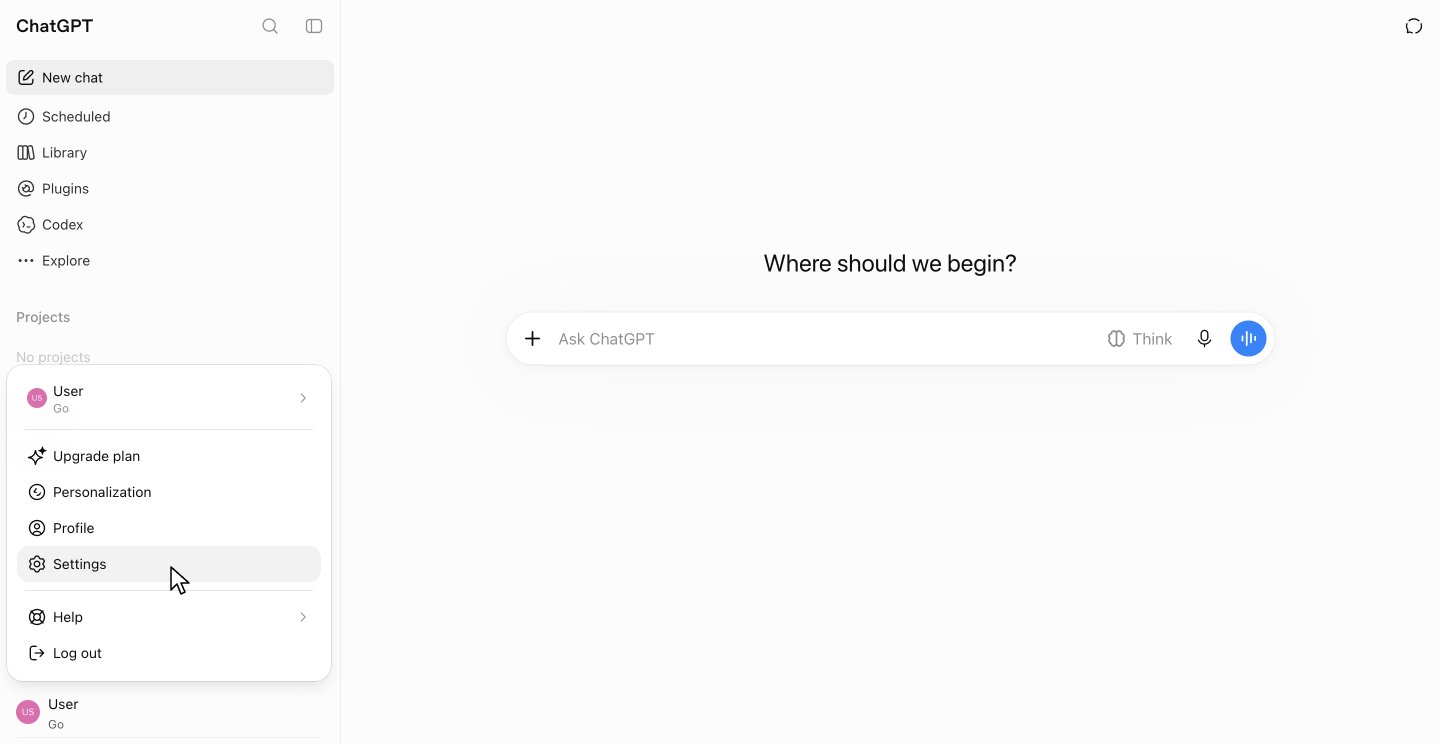
Click Settings
In the menu, click Settings.
-
3
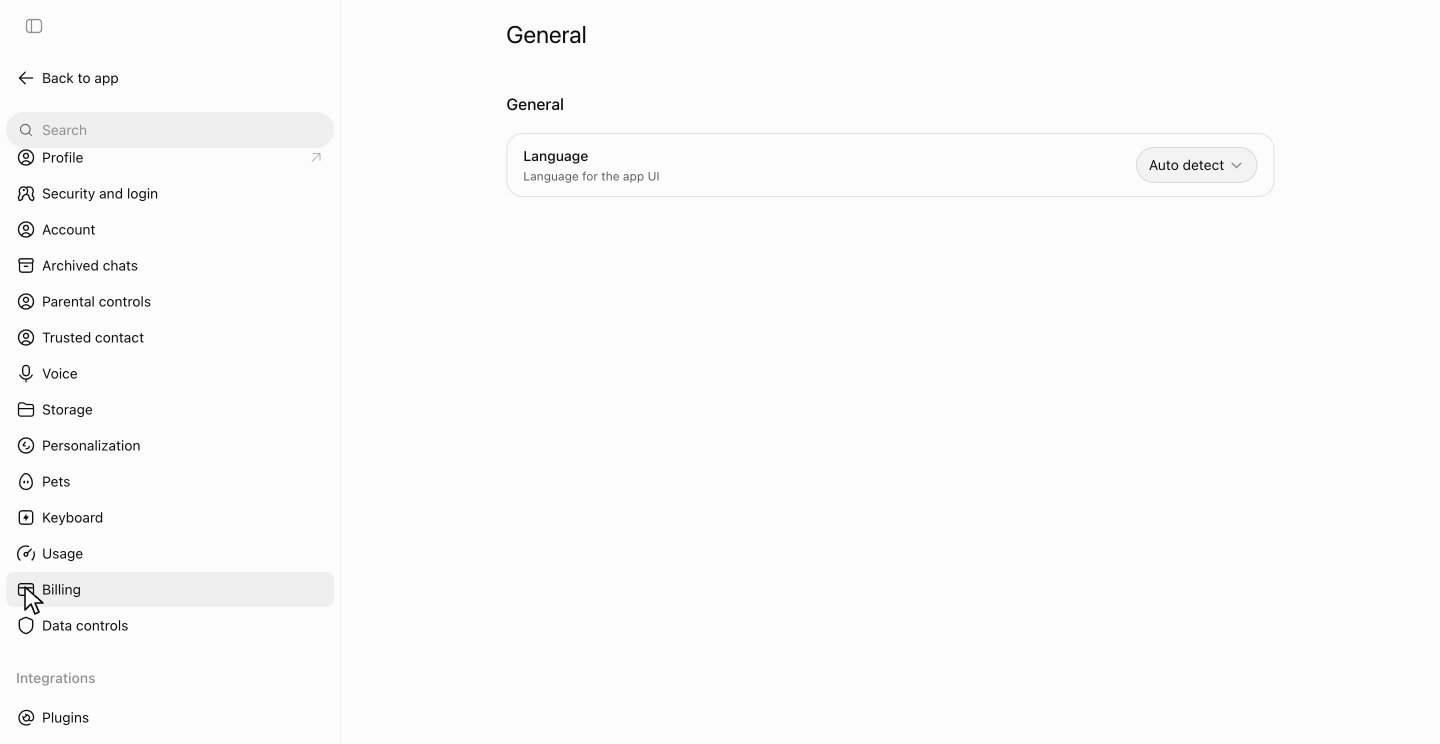
Open Billing
Scroll down the settings list and click Billing.
-
4
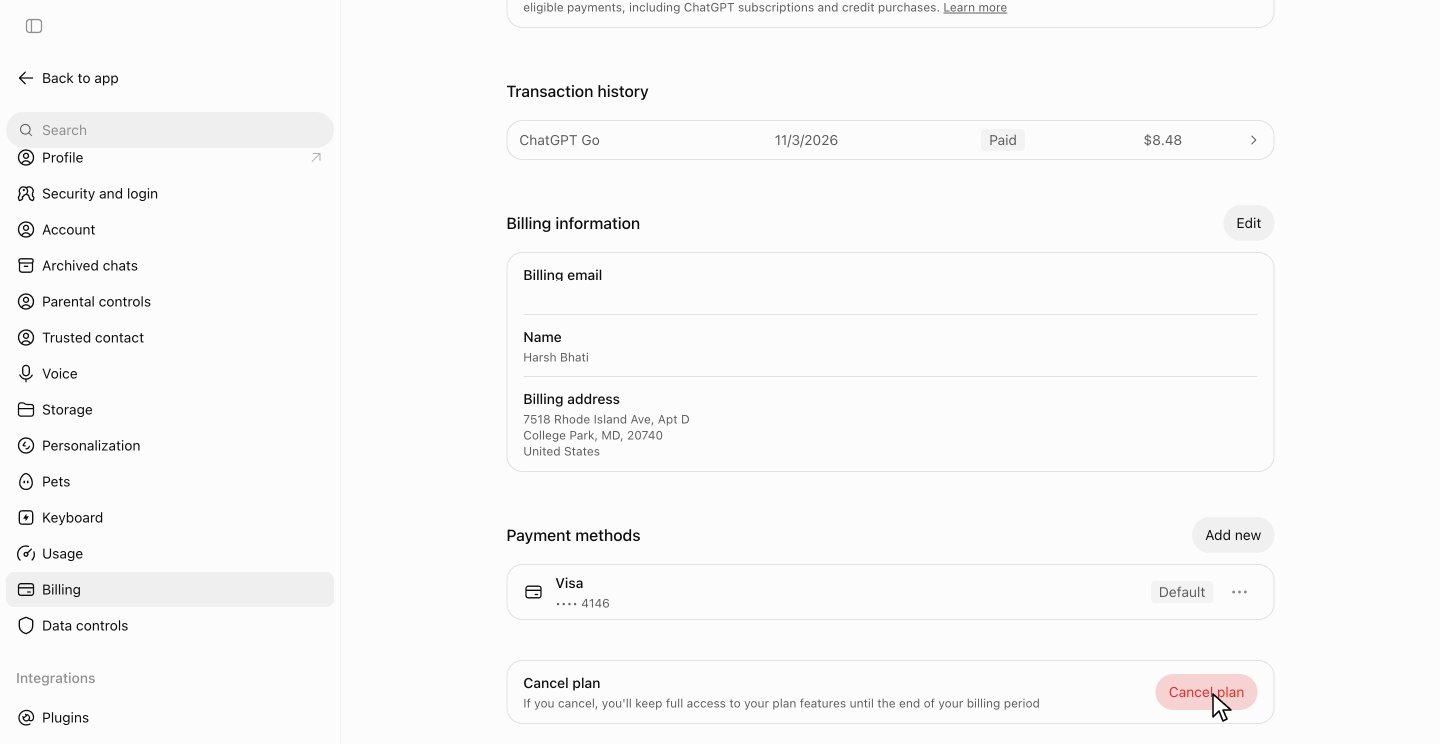
Click Cancel plan
Billing shows your plan and its renewal date at the top. Scroll down and click Cancel plan.
-
5
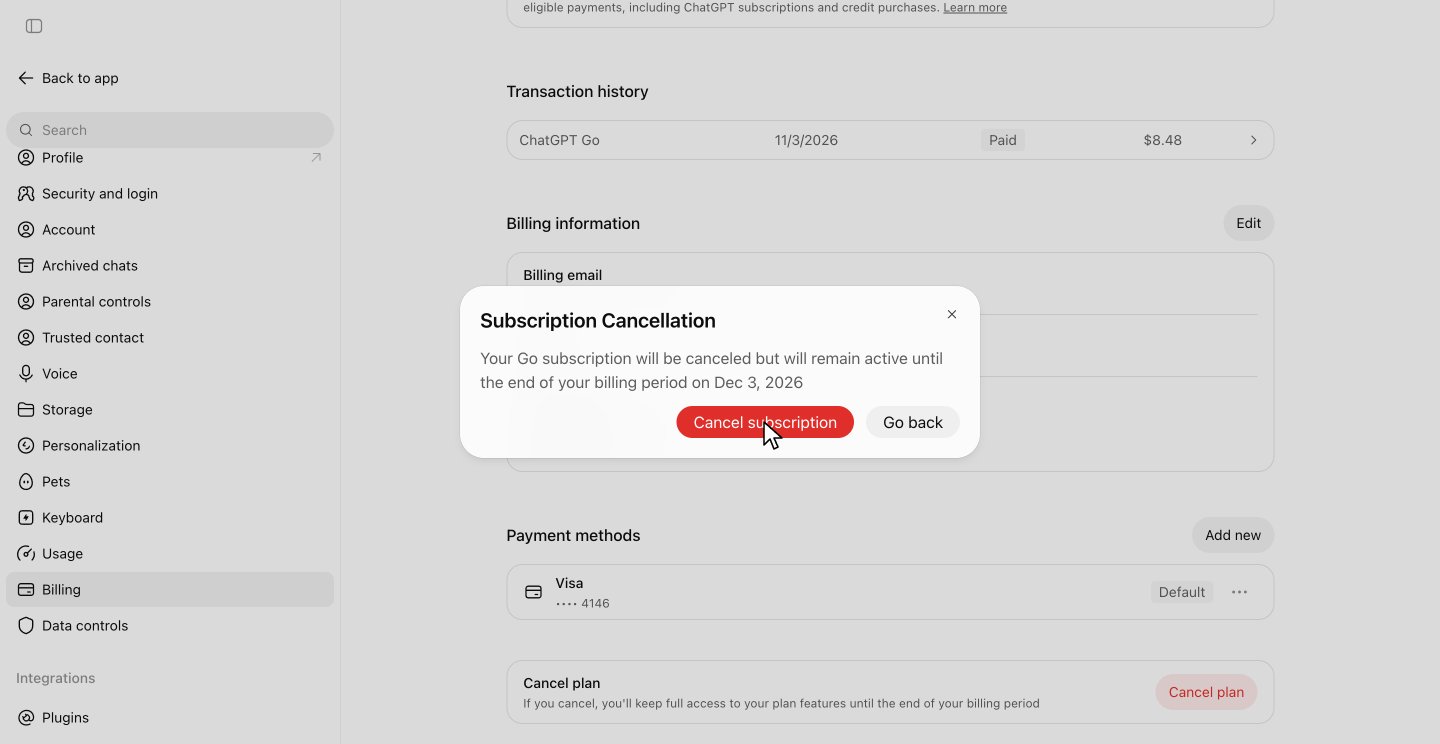
Click Cancel subscription
The pop-up says when your access ends. Click Cancel subscription.
-
6
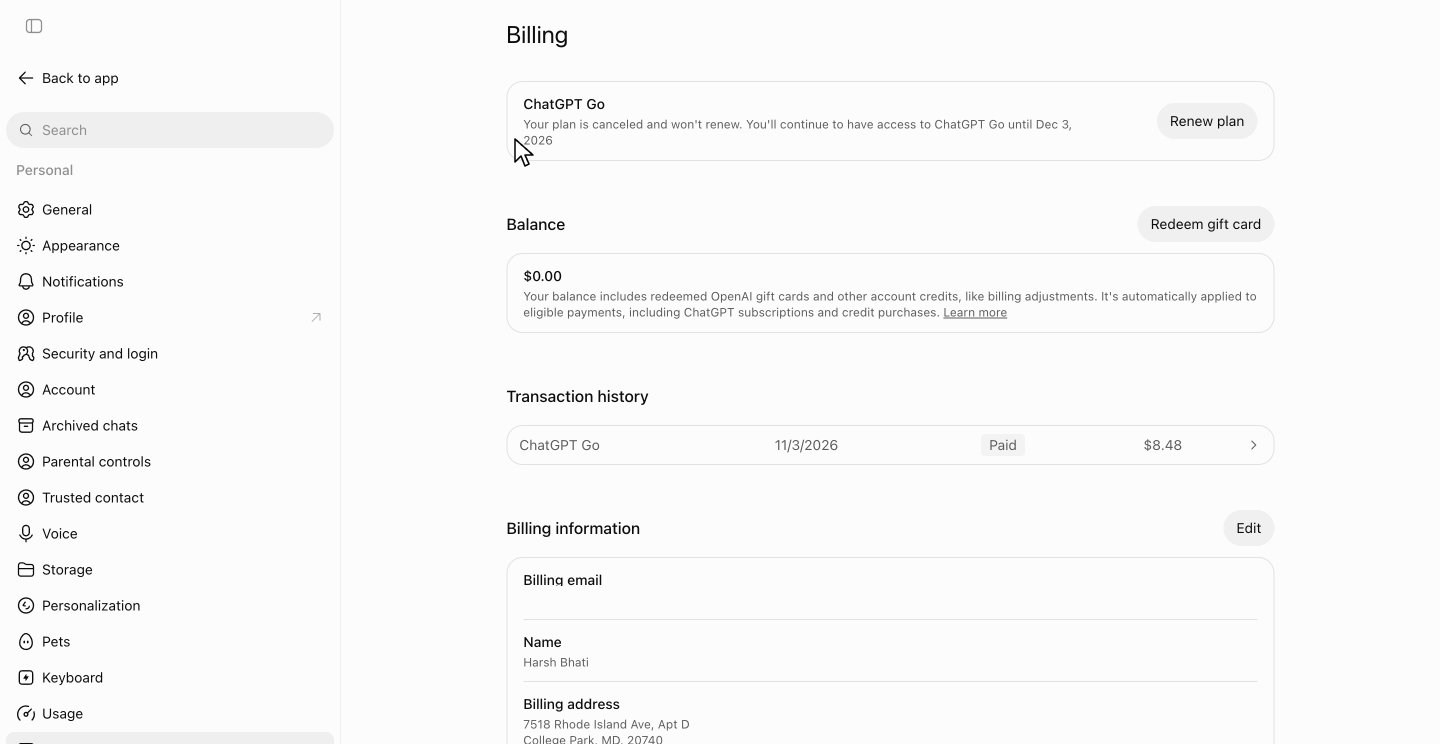
Check that your plan is canceled
An optional survey opens in a new tab, and you can close it. Billing now says your plan is canceled and won't renew.
After you cancel
You keep access until your billing date
In the recording, access runs until Dec 3, 2026, one month after the payment.
Billing shows Renew plan
Changed your mind? Click Renew plan before your end date.
Canceling doesn't refund this month
In the recording, Billing still showed the $8.48 payment, with no refund.
ChatGPT cancellation FAQ
Common questions about canceling ChatGPT. Sources checked Nov 3, 2026.
When should I cancel to avoid the next charge?
At least 24 hours before your next billing date. Billing shows the date. Before the cancellation in the recording, it said the plan auto-renews on Dec 3, 2026.
Do I lose access as soon as I cancel?
No. You keep your plan until the end of the billing period, and the pop-up shows the date before you confirm. In the recording, the plan was paid for and canceled on Nov 3, and ChatGPT Go stays active until Dec 3.
Will I get a refund if I cancel ChatGPT?
Canceling on its own doesn't refund what you've already paid. OpenAI says payments are generally non-refundable, though your legal rights still apply. In the recording, the plan was canceled the same day the $8.48 payment went through, and Billing showed no refund.
Will ChatGPT try to keep me?
No. The recorded cancellation showed no discount or offer to stay, only an optional survey after the last click.
Do I have to fill out the cancellation survey?
No. It opens in a new tab after you click Cancel subscription. You can skip it: in the recording, Billing still said the plan was canceled and won't renew.
How do I cancel ChatGPT on iPhone or Android?
If you subscribed through the Apple App Store, cancel it in your Apple subscriptions. If you subscribed through Google Play, cancel it in your Google Play subscriptions. If you pay on chatgpt.com, use the steps above.
Does deleting my ChatGPT account cancel my subscription?
Not if you subscribed through the Apple App Store. Deleting your account doesn't cancel an App Store subscription, so cancel it through Apple first. If you subscribed through Google Play, check your Google Play subscription and cancel it there if it's still active. To stop paying, you don't need to delete anything: canceling the plan leaves your account in place.
Can I undo a cancellation?
Yes. After you cancel, Billing shows a Renew plan button. Click it before your end date to keep your plan.
What does zuzu do?
zuzu is an assistant you text. Ask it to cancel ChatGPT and it does the steps above, then texts you when it's done.
Timing, refunds and app store rules come from OpenAI's help articles on canceling and refunds, as they read on Oct 26, 2026. The rest comes from the recorded cancellation on Nov 3, 2026.
Skip the 33 s
Text zuzu and it's handled.