 Paramount+ · Updated Nov 3, 2026
How to cancel Paramount+
See every click it takes to cancel Paramount+, recorded on a real account.
 ZuzuBusiness Account
Cancel Paramount+ step by step
You'll need your Paramount+ login.
-
1
Open Account
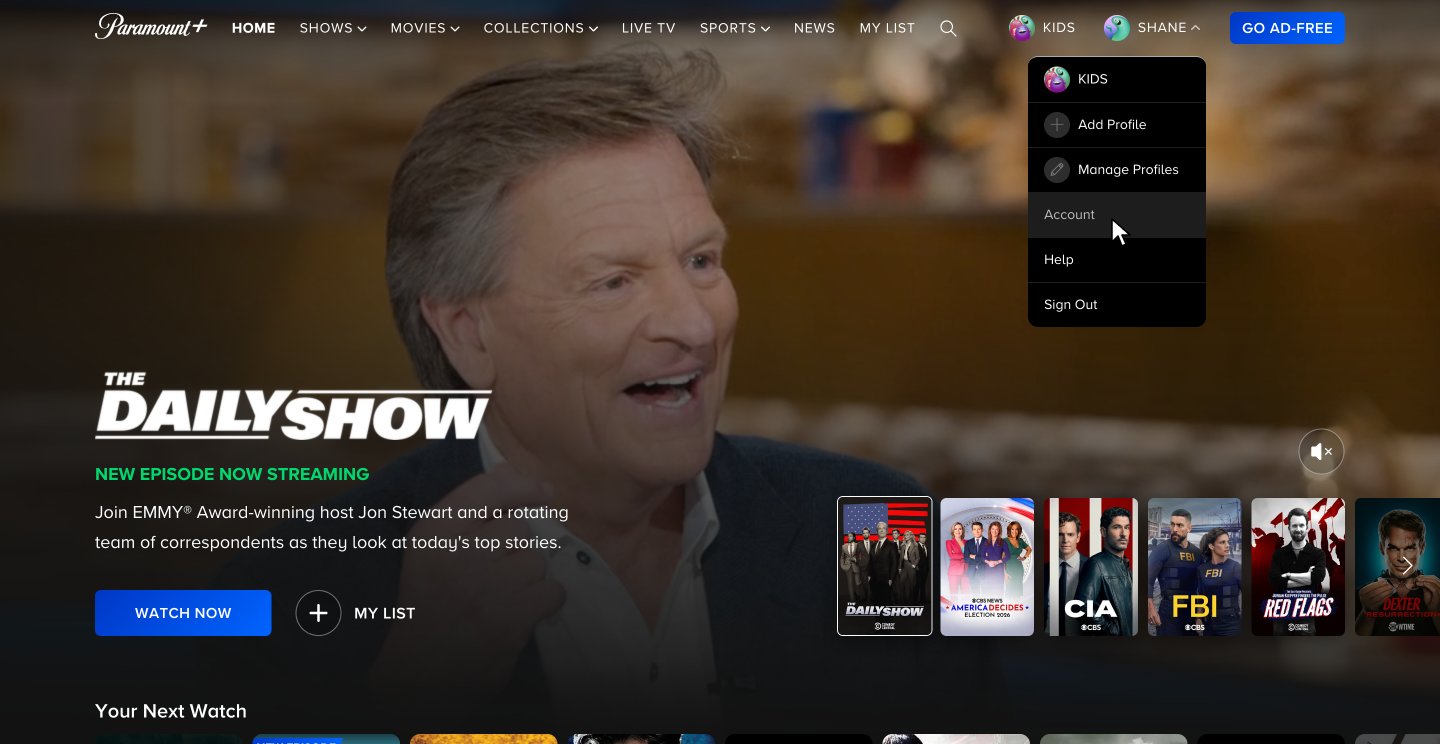
Go to paramountplus.com, point at your profile name in the top right and click Account.
-
2
Click Cancel & Remove Access
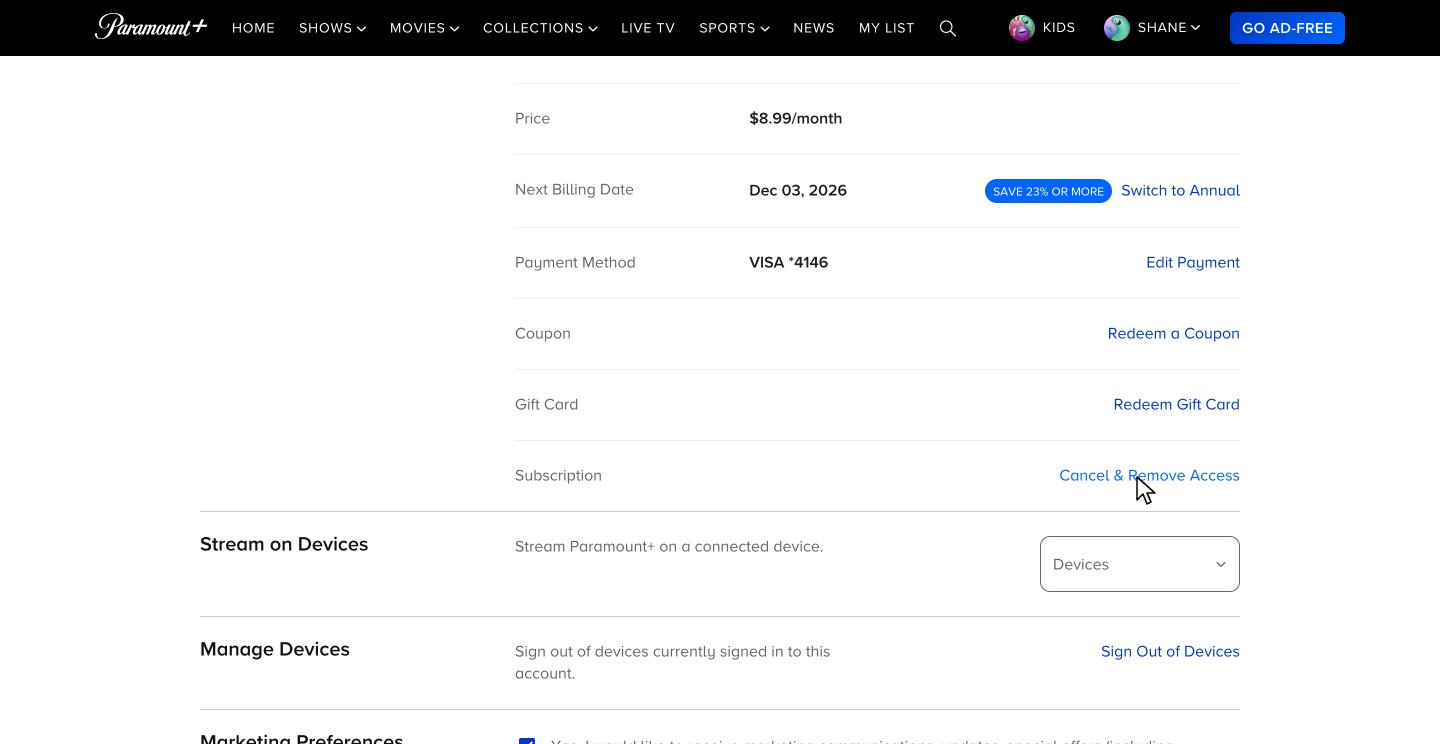
The Account page shows your price and next billing date. Scroll down and click Cancel & Remove Access.
-
3
Say no to the offer and click Cancel now
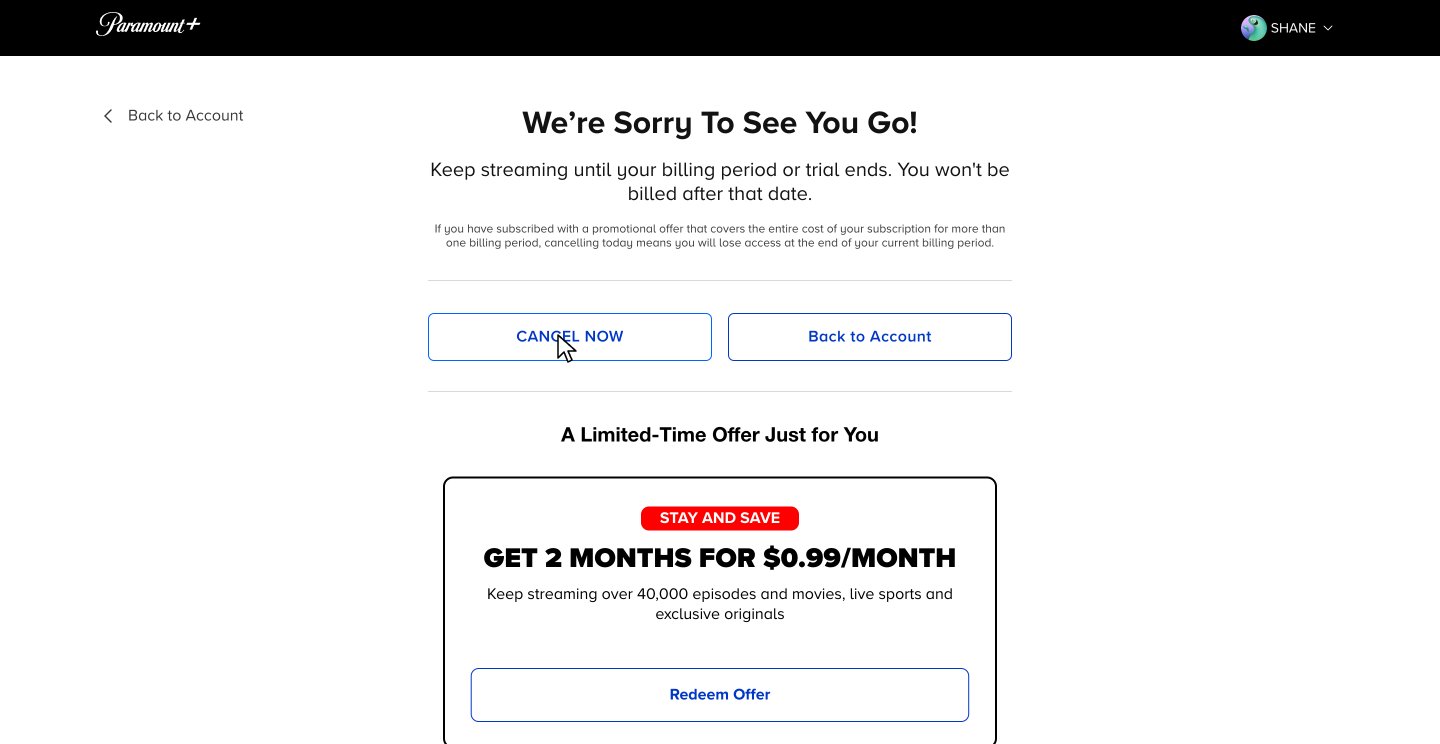
The page says you keep streaming until your billing date. Skip the offer of 2 months at $0.99 a month and click CANCEL NOW.
-
4
Skip the survey
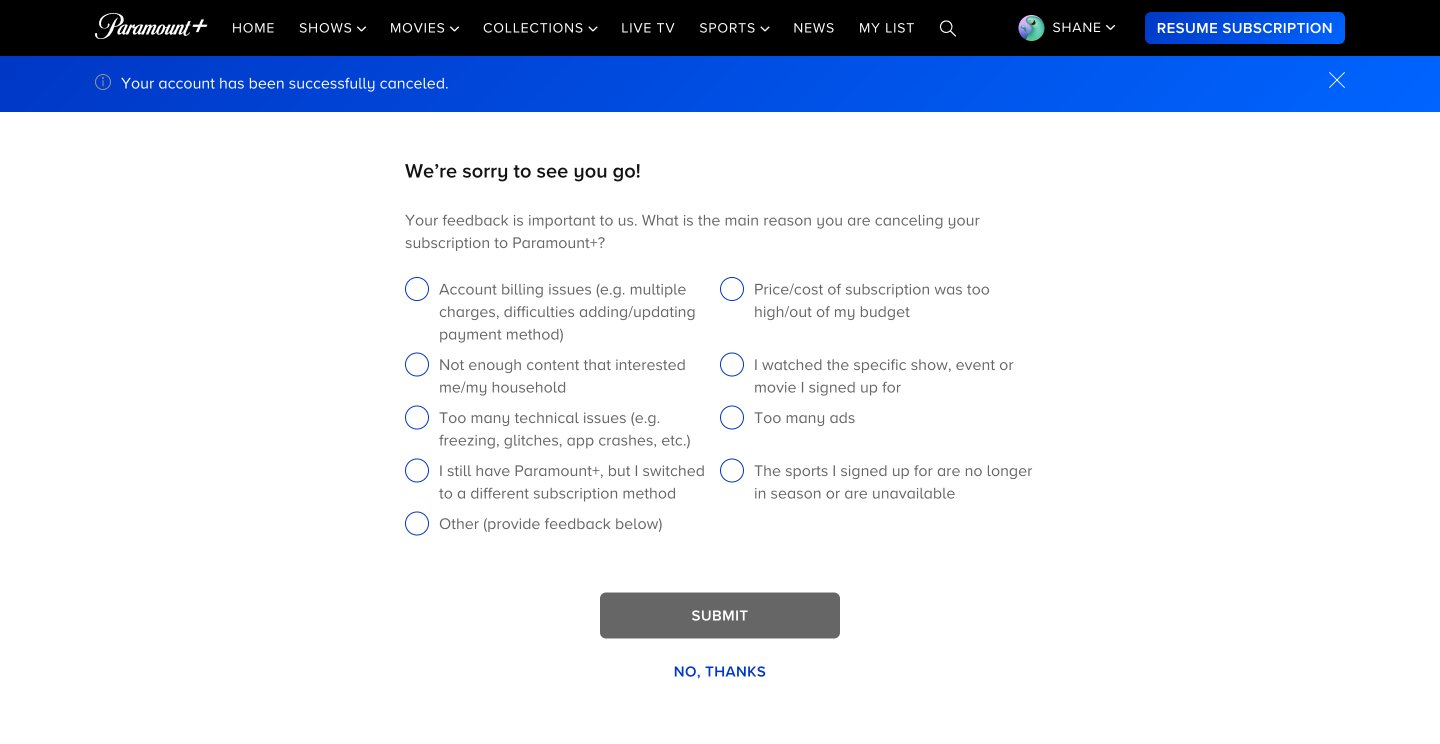
Paramount+ confirms the cancellation and asks why you're leaving. The survey is optional, so click NO, THANKS.
-
5
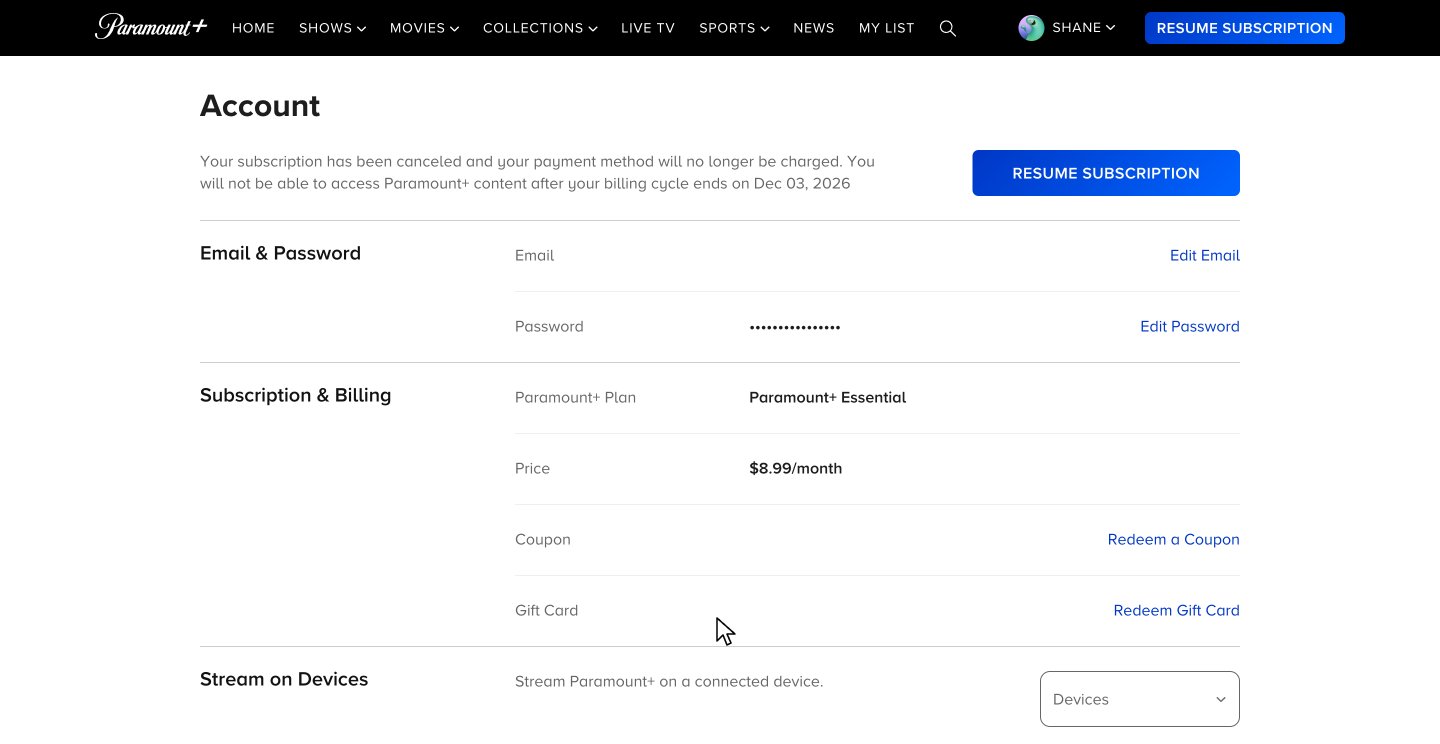
Check your account
Account now says your subscription is canceled and shows the date your access ends.
After you cancel
You keep access until your billing date
In the recording, access ends Dec 3, 2026, the date the next payment would have been due.
Your account page has a Resume subscription button
Changed your mind? Click RESUME SUBSCRIPTION before your end date.
Free promo months end early
If a promotional offer covers your whole subscription for more than one billing period, the cancel page says you lose access at the end of your current billing period.
Paramount+ cancellation FAQ
Common questions about canceling Paramount+. Sources checked Nov 3, 2026.
How do I cancel if I signed up on iPhone, Android, Fire TV or Roku?
Cancel on the platform you signed up with. Paramount+ says that if you subscribed through the Apple App Store, Google Play, Amazon or Roku, you need to go back there to cancel. If you signed up on the web, a smart TV or a game console, cancel on paramountplus.com with the steps above.
Does Cancel & Remove Access end my access right away?
No. Despite the name, you keep streaming until your billing period ends, and the cancel page says so before you confirm. In the recording, the plan was canceled on Nov 3, 2026, and Account says access ends Dec 3, 2026.
Will I be charged again after I cancel?
Not after your current billing period ends. The cancel page says "You won't be billed after that date," and after the cancellation in the recording, Account said the payment method will no longer be charged.
Will Paramount+ try to keep me?
Yes, once. Below CANCEL NOW, the cancel page shows a limited-time offer of 2 months for $0.99 a month, with a Redeem Offer button. To leave, skip it and click CANCEL NOW.
Do I have to fill out the cancellation survey?
No. By the time it shows, a blue banner already says "Your account has been successfully canceled." Clicking NO, THANKS is fine: in the recording, Account still said the subscription was canceled.
What if I can't log in to cancel?
Paramount+ says to go to its Help Center home page, click the blue chat bubble at the bottom of the screen and type "Agent".
Can I undo a cancellation?
Yes. After you cancel, Account shows a RESUME SUBSCRIPTION button, and the same button sits in the top bar. Click it before your end date to keep your plan.
Can I resubscribe later?
Yes. Paramount+ says you can resubscribe at any time. Go to paramountplus.com or open the app, sign in with the email and password you first subscribed with, pick your plan and click Start Paramount+.
What does zuzu do?
zuzu is an assistant you text. Ask it to cancel Paramount+ and it does the steps above, then texts you when it's done.
The ways to cancel on other platforms, help when you can't log in, and resubscribing come from Paramount+'s help articles on canceling and resubscribing. The rest comes from the recorded cancellation on Nov 3, 2026.
Skip the 27 s
Text zuzu and it's handled.